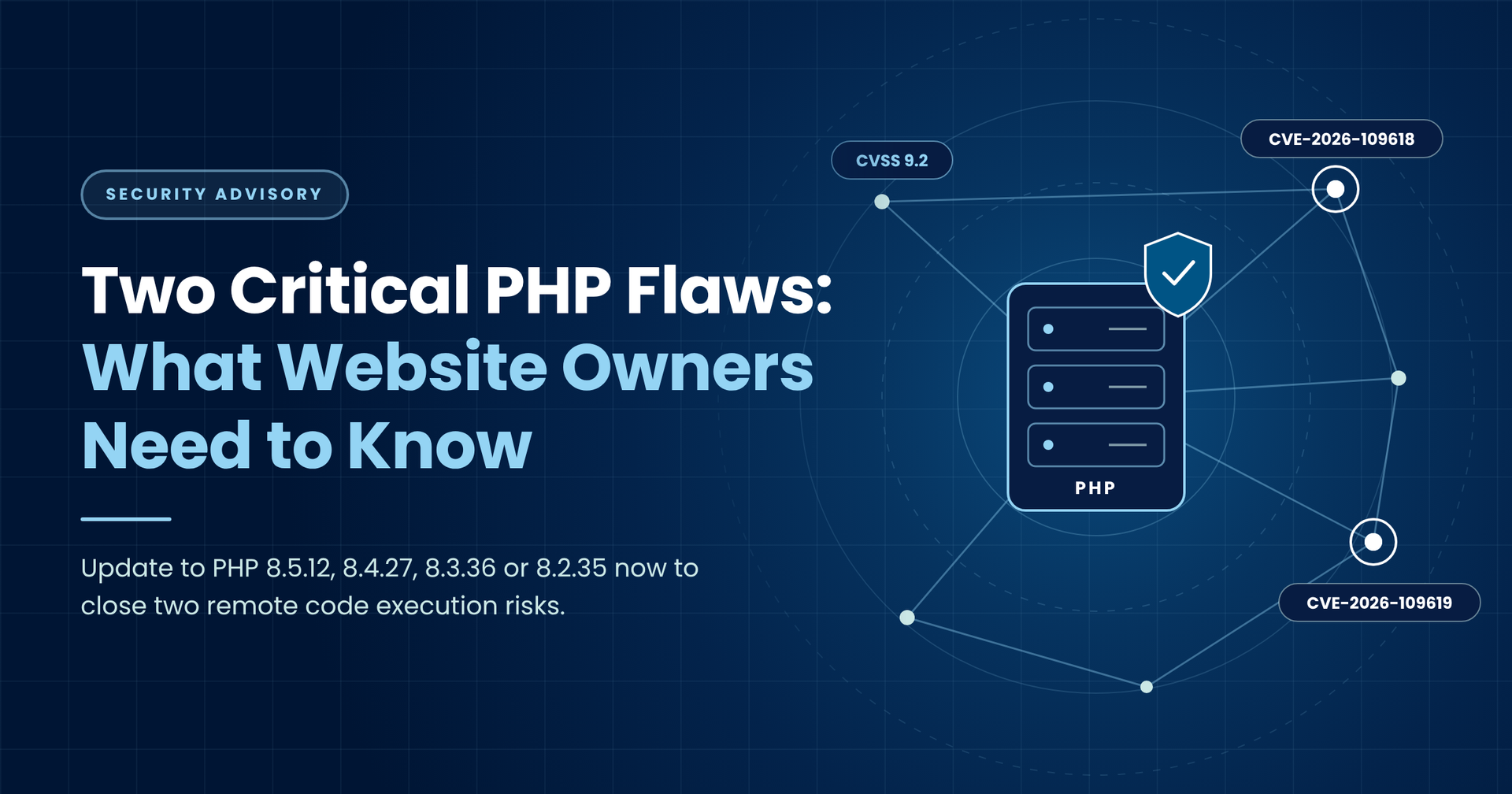
Two Critical PHP Flaws: What Every Website Owner Needs to Know


October 22, 2026

If your site runs PHP Update to at least Notes

8.5 8.5.12 Current release line

8.4 8.4.27 Supported

8.3 8.3.36 Supported

8.2 8.2.35 Final year of security fixes

8.1 or older No official update See the section on older versions below


TL;RL

If your business runs a website, online shop, customer portal or booking system, there is a good chance it relies on PHP. On 21 October 2026, the people who build PHP issued an urgent warning: two critical flaws could let a stranger on the internet take control of a web server without needing a password. Fixed versions are out now, and the advice is simple. Update immediately.


You don't need to be a security expert to act on this. You need to know three things:


  1. Whether your website uses PHP (most do).
  2. Who is responsible for keeping it updated (your developer, agency, IT team or hosting company).
  3. That they have installed PHP 8.5.12, 8.4.27, 8.3.36 or 8.2.35, or the equivalent patched package from their supplier.


This guide explains what happened in plain English, why it matters even if you have never written a line of code, and exactly what to ask the people who look after your website. It also covers the stopgaps available if an update truly can't happen today, and why running old, unsupported software has just become a much bigger gamble.


The PHP security team gave advance notice of this release on 20 October and rated both flaws 9.2 out of 10 on the industry-standard CVSS severity scale. Ratings that high are rare. When the people who make the software use words like critical and update now, it pays to listen.

What Is PHP, and Why Should You Care?

PHP is one of the engines behind the web. When you visit a website, fill in a contact form, log into an account or check out of an online shop, software on a server somewhere builds the page you see. On a huge share of the internet, that software is PHP.


According to W3Techs, PHP was used by roughly 71% of websites whose server-side language could be identified in mid-2026. It sits underneath WordPress, which runs a large slice of the world's websites, along with platforms such as WooCommerce, Magento, Drupal, Joomla, Laravel and Symfony.


That means PHP is not just something developers worry about. If your business has any of the following, it may well be running on PHP:


  • A WordPress website or blog
  • An online shop built on WooCommerce or Magento
  • A customer login area, booking system or quote calculator
  • An intranet, CRM add-on or internal tool built by an agency
  • A website hosted on a shared hosting plan from a mainstream provider


Think of PHP as the engine in a delivery van. You may never lift the bonnet, and you may not know what model of engine is in there. But if the manufacturer issues an urgent recall because the engine can be hijacked, you still need to get the van into the garage. This is that recall.

Why Traditional VPNs Are No Longer Enough

The official advisory describes both flaws as unauthenticated remote code execution, often shortened to RCE. It sounds like jargon, but each part of the phrase tells you something important.


  • Remote means the attacker doesn't need to be in your building or on your network. They can be anywhere in the world, sending requests over the internet like any other visitor.
  • Code execution means they can make your server run instructions of their choosing. In practice, that is close to handing them the keys.
  • Unauthenticated means they don't need a username, password or account first. Your login page is not a barrier.


Put together, this is about the most serious type of flaw a piece of web software can have. Once someone can run their own instructions on your server, they could:


  • Steal customer data, including names, addresses, emails and order history
  • Plant malware that infects your visitors or skims card details at checkout
  • Deface your website or quietly redirect visitors to scam pages
  • Use your server to attack other businesses, damaging your reputation
  • Get a foothold to move deeper into your wider IT systems
  • Encrypt files and demand a ransom


For a UK business, a breach involving personal data can also mean reporting duties to the Information Commissioner's Office, awkward conversations with customers, and real costs in downtime and recovery. Prevention is far cheaper than clean-up.


The Two Flaws, Explained Without the Jargon


Both problems live deep inside PHP itself, not in your website's own code. That is why so many sites are affected at once, and why your developer can't simply fix it in your theme or plugin.


Flaw One: Running Out of Memory at the Wrong Moment


Officially tracked as CVE-2026-109618, this flaw involves what happens when PHP runs out of memory while it is still setting up a request.


Imagine a waiter taking a customer's order. Halfway through writing it down, the kitchen alarm goes off and they rush away, leaving a half-written order on the pad. Later, someone clearing up assumes the order slip is complete and acts on it. The result is chaos, and a clever customer could have deliberately written something nasty in the blank half.


That is roughly what happens here. PHP can be interrupted while its internal paperwork for a visitor's request is only partly filled in. The tidy-up routine then treats that incomplete paperwork as if it were valid. An attacker who can trigger the memory problem on purpose can exploit that confusion.


Flaw Two: Leftovers From a Previous Visitor


Tracked as CVE-2026-109619, the second flaw is about things not being cleared away properly between visitors.


Web servers handle visitors in turn, often using the same worker process again and again. Think of a hotel room. After each guest leaves, housekeeping should reset everything before the next arrival. With this flaw, some notes from a previous guest can survive after the room has officially been emptied. If the next guest gets in before housekeeping finishes, they can use those leftover notes in ways nobody intended.


In technical terms, data belonging to one request can outlive the memory behind it, and a later request on the same worker may use it before normal setup wipes it. An attacker can set this up deliberately across a sequence of requests.

Who Is at Risk?

The short answer: almost anyone running PHP on a website. The PHP team says every installation that serves web requests is affected, whatever the setup. That covers all the common ways PHP is plugged into a web server, including PHP-FPM, Apache with mod_php, php-cgi, FrankenPHP and LiteSpeed.


You don't need to know what those names mean. Your developer or host will. The key point is that no common configuration is safe by default.


The PHP team singled out Apache with mod_php as the highest-risk setup. They have seen a working attack where a single request, sent by someone with no account, triggers the problem before any of the website's own code has even started. In other words, your website's own security measures never get a chance to step in.


So who should pay closest attention?


  • Small and medium businesses with a WordPress site or online shop, especially where nobody is formally responsible for updates
  • Organisations using an agency that built the site years ago and no longer actively maintains it
  • Anyone on older hosting plans that still run legacy versions of PHP
  • Companies handling personal or payment data through web forms, portals or checkouts
  • IT and security teams who need to find every PHP server across the business, including forgotten test sites and old microsites


If you're not sure whether your site uses PHP, ask. It is a two-minute question for whoever manages it.

If your site runs PHP

Update to at least

Notes

8.5

8.5.12

Current release line

8.4

8.4.27

Supported

8.3

8.3.36

Supported

8.2

8.2.35

Final year of security fixes

8.1 or older

No official update

See the section on older versions below

What this means in practice depends on how your website is run.


  • Managed or shared hosting: most reputable hosts update PHP for you. Linux distributions and long-term support vendors received the patches before the public announcement, so many providers will already be rolling them out. Check your host's status page or contact support and ask for confirmation.
  • Your own servers or cloud machines: your IT team should install the updated PHP packages from your operating system vendor, or download them from the official PHP downloads page, then restart the web server and PHP workers.
  • An agency or freelance developer: send them a short message today asking them to confirm the PHP version on every site they look after for you.


One specific warning from the PHP team: if your servers rely on the volunteer-run Remi package repository (rpms.remirepo.net), it was not expected to have updates on release day. The advice is to switch to your distribution's own packages or build from source so you aren't left waiting.


After updating, ask for proof. A screenshot of the PHP version in the hosting control panel, or a one-line confirmation of the exact version number, is enough.

If You Can't Update Today

Sometimes an update can't happen immediately. A fragile old system might need testing first, or a supplier might be slow to respond. The PHP team has listed some temporary measures, but they are blunt about it: these reduce exposure to specific attack routes and do not make a server safe. Treat them as sandbags, not a sea wall.


These are technical settings, so pass this list to whoever manages your server.


For the memory flaw (CVE-2026-109618):


  • Remove PHP's per-request memory cap (memory_limit set to -1), applied at server level so applications can't change it back
  • Lower the maximum size of form submissions (post_max_size), to around 8 MB where no file uploads are needed, or 32 MB where they are, keeping the upload limit below that
  • Enforce size and complexity limits on incoming requests at the web server or proxy, including requests that don't declare their size up front
  • Use container or cgroup limits to protect availability, ideally killing only the affected worker, and avoid certain operating system memory limits that can actually trigger the flaw


For the leftover data flaw (CVE-2026-109619):


  • Turn off session upload progress tracking (session.upload_progress.enabled set to 0) in the main server configuration, then restart every worker
  • On PHP 8.5, turn off fatal error backtraces (fatal_error_backtraces set to 0) and restart every worker
  • Remove outdated or invalid settings that generate warnings before a request is fully set up; simply hiding the warnings doesn't help

• Fix any errors or timeouts that an outsider could deliberately trigger, including in upload and import features


Each of these blocks one known route in. None of them closes every door. Use them to buy hours or days, then update.

The Hidden Problem: Old Versions of PHP

Here is where many businesses get caught out. PHP 8.1 and anything older no longer receive official fixes from the PHP project. No official patched release was published for them.


That is a bigger issue than it sounds. W3Techs figures from mid-2026 suggest that around four in ten websites using PHP were still on version 7 or older, generations behind today's supported releases. Many of those sites are working perfectly well on the surface, which is exactly why nobody has touched them.

Because these flaws are so severe, the PHP security team took the unusual step of publishing minimal source code fixes for PHP 7.4, 8.0 and 8.1 on GitHub. These are aimed at technical teams who compile PHP themselves. Some Linux distributions and long-term support vendors also provide their own backported fixes.


If your site runs an old version, your options are:


  1. Ask your vendor or host whether they have a backported fix for your exact version, and get it applied now.
  2. Have your developer apply the source backport if you build PHP yourselves.
  3. Plan a proper upgrade to a supported version. This is the only long-term answer.


There is one more date for the diary. PHP 8.2 reaches end of life on 31 December 2026. After that, it will get no more security fixes either. If you're on 8.2, today's update keeps you safe for now, but you should be budgeting for an upgrade in the next couple of months, not next year.


The lesson is simple. Unsupported software is a liability that grows quietly until a day like this one.

Five Questions to Ask Your Web Team or Host Today

You don't need technical knowledge to hold your suppliers to account. Copy these questions into an email:


  1. Do any of our websites, shops or portals run on PHP?
  2. Which PHP version is each one running right now?
  3. Has each one been updated to 8.5.12, 8.4.27, 8.3.36 or 8.2.35, or a vendor-patched equivalent? When?
  4. Are any of our sites on PHP 8.1 or older, and if so, what is the plan to protect them?
  5. Do we have a plan to move off PHP 8.2 before it loses support on 31 December 2026?


If the answers are vague, slow or uncertain, treat that as a warning sign in itself.

Sources

Sources


  • PHP security advisory, 21 October 2026
  • PHP advance notice of critical security release, 20 October 2026
  • GitHub advisory GHSA-w8hw-w9fx-j79w (CVE-2026-109618)
  • GitHub advisory GHSA-6wmf-4rv5-p3rp (CVE-2026-109619)
  • W3Techs: usage statistics of PHP version 8


https://www.php.net/archive/2026.php#2026-10-21-5

Ready to strengthen your security posture? Contact us today for more information on protecting your business.


Let's get protecting your business

Disaster Recovery

Keep your data secure and protected at all times.


Cybergen News

Sign up to get industry insights, trends, and more in your inbox.

Contact Us

SHARE THIS

Latest Posts

Blue cybersecurity graphic reading “Retire the VPN. Trust Nothing, Verify Everything.” with security icons around it
October 16, 2026
Discover how zero trust security replaces legacy VPNs with identity based, application specific access that stops lateral movement. Expert guidance from Cybergen.
Blue security assessment slide titled “Beyond the Questionnaire” with vendor verification graphics
October 13, 2026
Vendor questionnaires create paperwork, not assurance. Learn how CISOs can tier suppliers, verify security evidence and rehearse a vendor breach before it happens.
Dark blue promotional banner reading “Bring Shadow AI Under Control” with smaller text about a 90-day plan.
October 9, 2026
Shadow AI is now the top concern for security leaders. A practical 90-day plan for CISOs to discover, classify and govern unapproved AI use without slowing the business.
Blue cybersecurity slide reading “Can You Actually Restore? A Cyber Recovery Testing Playbook for Security Leaders”
October 6, 2026
Backups are not a recovery plan until you have tested them under attack conditions. A practical playbook for CISOs to test, measure and evidence ransomware recovery.
Infographic on STIX and TAXII explained, with blue network diagram and labeled threat intelligence flow icons
October 3, 2026
What are STIX and TAXII? Learn how these open standards structure and share cyber threat intelligence, and how your SOC can use them to detect threats faster.
Blue tech-themed slide titled “How to Build a Cyber Threat Intelligence Program You Will Actually Use”
October 2, 2026
A practitioner's guide to building a cyber threat intelligence program: intelligence requirements, collection, analysis, SOC integration, metrics and a roadmap.
Cyber risk graphic with blue digital network background and text: “Your Supplier List Is Not a Resilience Plan.”
September 29, 2026
Learn how global enterprises can map supplier dependencies, find shared points of failure and strengthen third-party cyber risk management.
CyberGen dark blue dashboard with a central hooded avatar and security stats panel
September 28, 2026
Greenberg Traurig is the latest law firm hit as Silent Ransom Group targets the legal sector. Learn how these attacks work and how to protect your firm.
Glowing digital hand touching a touchscreen, with white connection lines and blue tech background
September 24, 2026
Non-human identities now outnumber employees by 50 to 1. Discover the risks of API keys, service accounts and AI agents, and how to secure them.
Blue skull with “RANSOMWARE” text and glowing digital lock icon on a dark cyber background
September 22, 2026
UK ransomware payment ban explained. Discover what public sector and CNI organisations need to do now to strengthen resilience, recovery and incident response.